Guides
YouTube Thumbnail A/B Testing: A Clean 2026 Workflow
Quick takeaways
What to know before reading
- Eligible creators can test up to three titles, thumbnails, or title-thumbnail combinations in YouTube Studio on desktop.
- YouTube chooses results with watch-time-based evidence, not CTR alone, and a test may end without a clear winner.
- Sequential manual swaps are before-and-after monitoring, not a controlled A/B test.
The thumbnail you prefer is not automatically the thumbnail that helps the right viewer choose the video. A useful test begins with one hypothesis, keeps the candidates interpretable, and reads the result in context.
In 2026, YouTube's native tool can test up to three titles, thumbnails, or title-thumbnail combinations for eligible long-form videos. If the feature is unavailable, you can still monitor a manual change—but call it before-and-after monitoring, because the audience and traffic mix are not held constant.
Quick answer
Use this decision path:
- Check whether the video is eligible for YouTube's native A/B test.
- Write one question the test should answer.
- Create candidates whose difference you can explain.
- Keep unrelated variables stable.
- Let the native test finish or label a manual swap as observational.
- Read watch behavior, impressions, and traffic context with CTR.
- Save one lesson you can reuse.
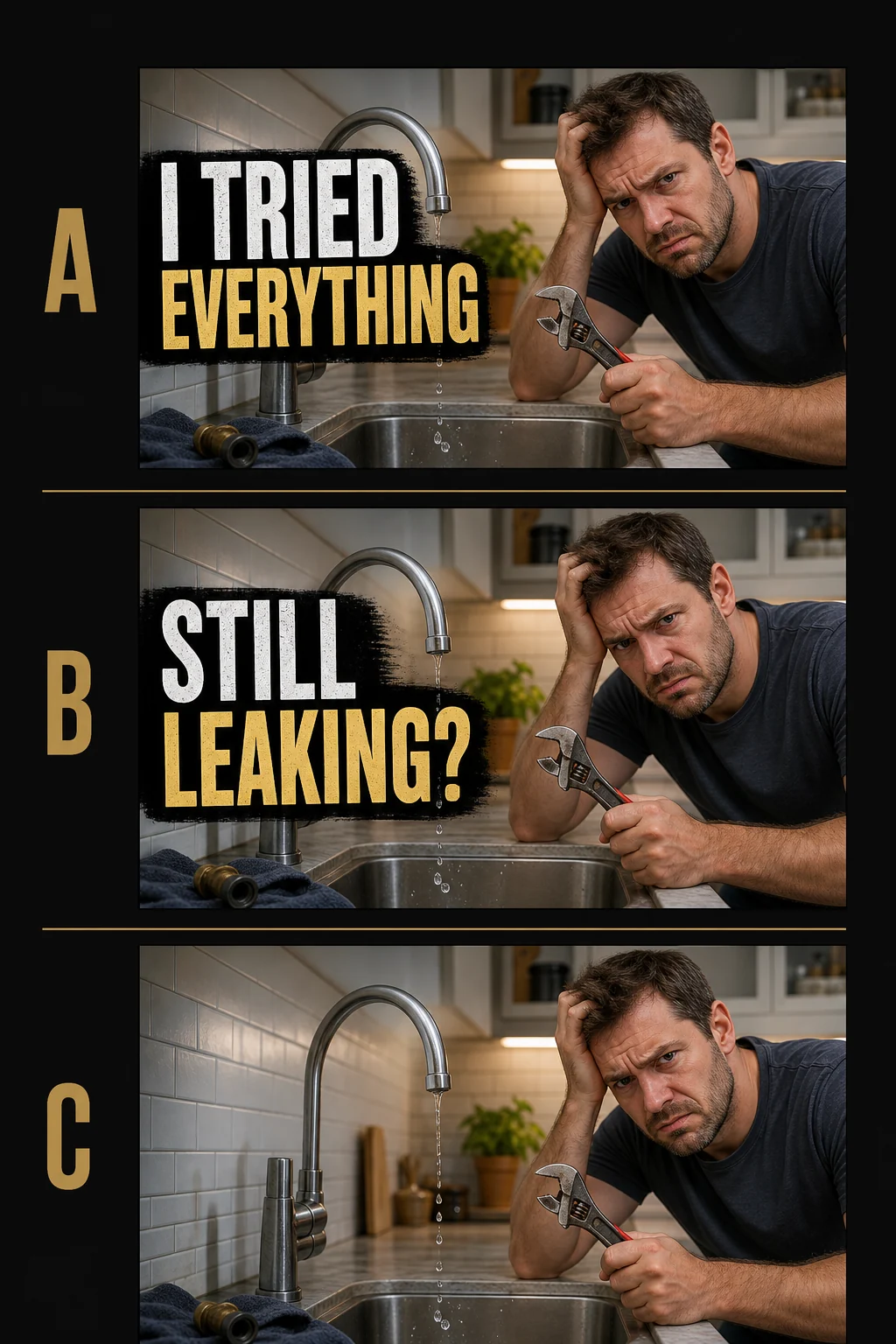
Open the full-size illustrative comparison
This original GrabThumbs visual shows closely matched fictional concepts, not a controlled test or an observed creator case. Small scene details vary between panels, so use it only to frame a hypothesis. For a real controlled comparison, start from one frozen source frame and change a single logged variable. The illustration contains no performance result and no universal “meaningful lift” threshold.
What YouTube's current A/B test does
According to the current YouTube title and thumbnail A/B testing help page:
- the tool is available through YouTube Studio on desktop for eligible creators with advanced features enabled
- creators can test up to three titles, thumbnails, or combinations
- Shorts, scheduled live streams, and Premieres that have not finished are not eligible
- tests may take a few days and are expected to complete within two weeks
- the result is based on watch-time evidence rather than CTR alone
- a test can report a winner, similar performance, or an inconclusive result
Eligibility and labels can change, so use the linked help page as the source of truth rather than an old screenshot or third-party tutorial.
Write the hypothesis before making variants
A clean hypothesis names the viewer problem and the one main change.
For viewers discovering this video on [surface],
changing [one packaging variable]
may make [the accurate promise]
faster to understand without weakening watch behavior.
Examples:
- Removing the second text line may make the result image read first in Search.
- Keeping the copy stable but tightening the face crop may make the emotion clearer on Home.
- Keeping the image stable but testing a more specific title may reduce title-thumbnail repetition.
“Make it more clickable” is not specific enough. It does not say what changed or what quality should remain after the click.
Make candidate differences interpretable
YouTube recommends testing meaningfully different options; candidates that are nearly identical can take longer to distinguish. At the same time, a giant redesign can teach very little because many variables move at once.
Use a change log:
| Candidate | Main variable | Fixed variables |
|---|---|---|
| A | Current text treatment | crop, subject, background, title |
| B | Shorter text treatment | crop, subject, background, title |
| C | No text | crop, subject, background, title |
If the goal is a combined title-thumbnail test, name the combination as the variable and do not pretend the image alone caused the result.
Use Compare My Thumbnail to inspect the candidates together and Thumbnail Test Flow to save the hypothesis and fixed variables.
Native concurrent test versus manual monitoring
These workflows answer different-quality questions.
| Method | What happens | What you can conclude |
|---|---|---|
| YouTube native A/B test | Options run concurrently within the platform's experiment | Use the Studio result and its confidence wording |
| Manual sequential swap | One version runs, then another runs later | Observe a change, but audience, time, and traffic mix may explain it |
| Pre-publish side-by-side review | Candidates are compared by a team before release | Improve clarity and consistency, but do not claim audience performance |
For a manual swap, record the exact change time, impressions, traffic sources, CTR, and watch behavior. Avoid saying “B won” when the source mix or audience changed.
Why CTR alone is not the winner
YouTube's native test optimizes with watch time because the packaging should help viewers choose content they actually want to watch. The YouTube CTR and impressions FAQ also explains that CTR varies by traffic source, audience, and impression volume.
Read results in this order:
- Was there enough exposure for the platform to make a conclusion?
- Did the traffic-source or audience mix change?
- How did CTR move in that context?
- Did average view duration or another relevant watch signal remain healthy?
- Did the title and thumbnail still describe the video accurately?
A higher CTR paired with weaker watch behavior can mean the package became more exciting but less accurate.
Copy this test record
Video:
Discovery surface or audience context:
Test method: native concurrent / manual sequential / pre-publish review

Question:
Candidate A:
Candidate B:
Candidate C (optional):
Main variable:
Fixed variables:

Start:
End:
Impressions and traffic-source note:
CTR note:
Watch-behavior note:
Platform result label (if native):

What did we learn?
What will we reuse?
What remains inconclusive?
An inconclusive result is still useful. It can show that the difference was too small, the video lacked enough impressions, or the audience did not respond differently enough for a confident decision.
Common test mistakes
- changing title, crop, text, color, and background while claiming one variable changed
- stopping a native test early because one option briefly leads
- comparing CTR without traffic-source context
- presenting a fictional before-and-after number as a real case study
- declaring “no difference” when the result is actually inconclusive
- applying one video's lesson to every category and audience
- forgetting that editing the title or thumbnail during a native test can stop the test
Sources, review, and change history
Platform claims were reviewed against:
- YouTube Help: A/B test titles and thumbnails
- YouTube Help: Impressions and CTR FAQ
- YouTube Help: Decode CTR and impressions
- YouTube Help: Understand video reach and traffic sources
- YouTube Help: Thumbnail policy
Change history: On 2026-07-18, GrabThumbs updated the guide from the older thumbnail-only test description to the current title-and-thumbnail A/B workflow, removed unsupported result numbers, distinguished concurrent tests from sequential monitoring, and added an original fictional concept comparison with an explicit non-controlled-evidence limitation.
FAQ
How many options can I test in YouTube Studio?
The current official help page says eligible creators can test up to three titles, thumbnails, or combinations. Check the live help page because product eligibility can change.
Can I A/B test Shorts?
The current native title and thumbnail A/B test is not available for Shorts.
Does the highest CTR win?
No. YouTube describes the native result as watch-time based so the package is evaluated beyond the initial click.
Is changing a thumbnail on Monday and again on Thursday an A/B test?
It is better described as before-and-after monitoring. The versions run at different times, so audience and traffic conditions can differ.
What if there is no clear winner?
Record what stayed inconclusive. Do not force a story from small differences; improve the hypothesis or try a more interpretable candidate later.
Related guides and tools
Published
2026-03-01
Estimated reading time
6 min
Word count
1,297
Editorial notes
How this guide was prepared
This guide is edited for practical use, clear claims, copyright boundaries, and a direct next step into the relevant tool or policy page.
Written by
GrabThumbs Editorial Team
Reviewed by
GrabThumbs Editorial QA
Review focus
Practical usefulness, clarity of claims, safer reuse boundaries, and stronger links to the next relevant tool or policy page.
Update practice
2026-07-18
The guide is revisited when workflow advice, platform behavior, or policy context changes in a meaningful way.
Corrections or policy questions
Use the contact page if you spot an accuracy, copyright, or policy issue that should be reviewed.
Open contact pageTry the tool
Test this with a real YouTube thumbnail
Paste a public YouTube URL to open available thumbnail sizes, compare readability, copy the direct image URL, or download the image without login.
Open YouTube Thumbnail DownloaderTool loading
The inline thumbnail extractor will load as you approach it
The article loads first, then the public YouTube thumbnail test tool hydrates near this section.
Guide support
How this guide is maintained
This article is part of the GrabThumbs editorial library and links to the site standards, product context, and contact path so readers can verify how the site is run.
Thumbnail Extractor
Open live public YouTube thumbnails right after reading so you can compare the guidance against real examples.
Standards
Review the editorial, corrections, and advertising standards that apply across the site.
About GrabThumbs
See what the site publishes, how the utility works, and how the editorial library fits into the product.
Contact
Use the contact page for policy, copyright, accuracy, or business questions.
Reading path
Continue with the same goal
These guides belong to the same goal-based path as the article you are reading, so you can keep moving through the topic without jumping around the archive.
Use this group when text feels crowded, hard to scan on mobile, or too dependent on long wording.
YouTube Thumbnail Text Placement: Mobile Safe-Zone Checklist
Place YouTube thumbnail text for a fast mobile read with a practical safe-zone check, three-version comparison, and clear title-thumbnail roles.
Read this guide →
7 thumbnail text mistakes new YouTubers make all the time
A lot of videos lose the click before the content even gets a chance. These are the text mistakes that do the damage.
Read this guide →
Related guides
Keep reading within the same topic cluster with these related articles.
YouTube CTR Diagnosis: When to Change Your Thumbnail vs Keep It
Use traffic-source context, 48-hour checks, and thumbnail-title promise matching before changing a thumbnail because CTR dropped.
Read this guide →
Can You Reuse YouTube Thumbnails? Copyright Boundaries for Creators
Use a practical copyright-risk checklist for YouTube thumbnail research, reference boards, fair-use questions, and original thumbnail rebuilds.
Read this guide →
Thumbnail planning in the AI era: using Google AI without losing the human eye
Generative AI can speed up thumbnail planning, but it still works best as a thinking partner, not a replacement.
Read this guide →
Time to put theory into practice!
Open competitor thumbnails right away for comparison and analysis.
Go to Thumbnail Extractor