Guides
YouTube Thumbnail Trends 2026: Run a Category Audit
Quick takeaways
What to know before reading
- There is no single thumbnail trend that represents every YouTube category. Audit the surfaces and competitors your viewers actually see.
- Record text amount, subject scale, background complexity, and recognition cues before deciding what to test.
- Change one main variable at a time and judge CTR with traffic-source and watch-behavior context.
What are the YouTube thumbnail trends for 2026? The useful answer is not one global style list. It is a category audit: collect a small, current sample from the surfaces where your audience discovers videos, label the patterns you can actually see, and test one change against your own baseline.
This guide does not claim that a small sample represents all of YouTube. It gives you a worksheet for turning observations into a controlled editing decision.
Quick answer
Run the audit in five steps:
- Choose one category and one discovery surface.
- Collect a working sample of recent thumbnails without copying the artwork.
- Record text amount, subject scale, background complexity, and recognition cues.
- Separate repeated patterns from one-off novelty.
- Pick one variable to test on your own thumbnail.
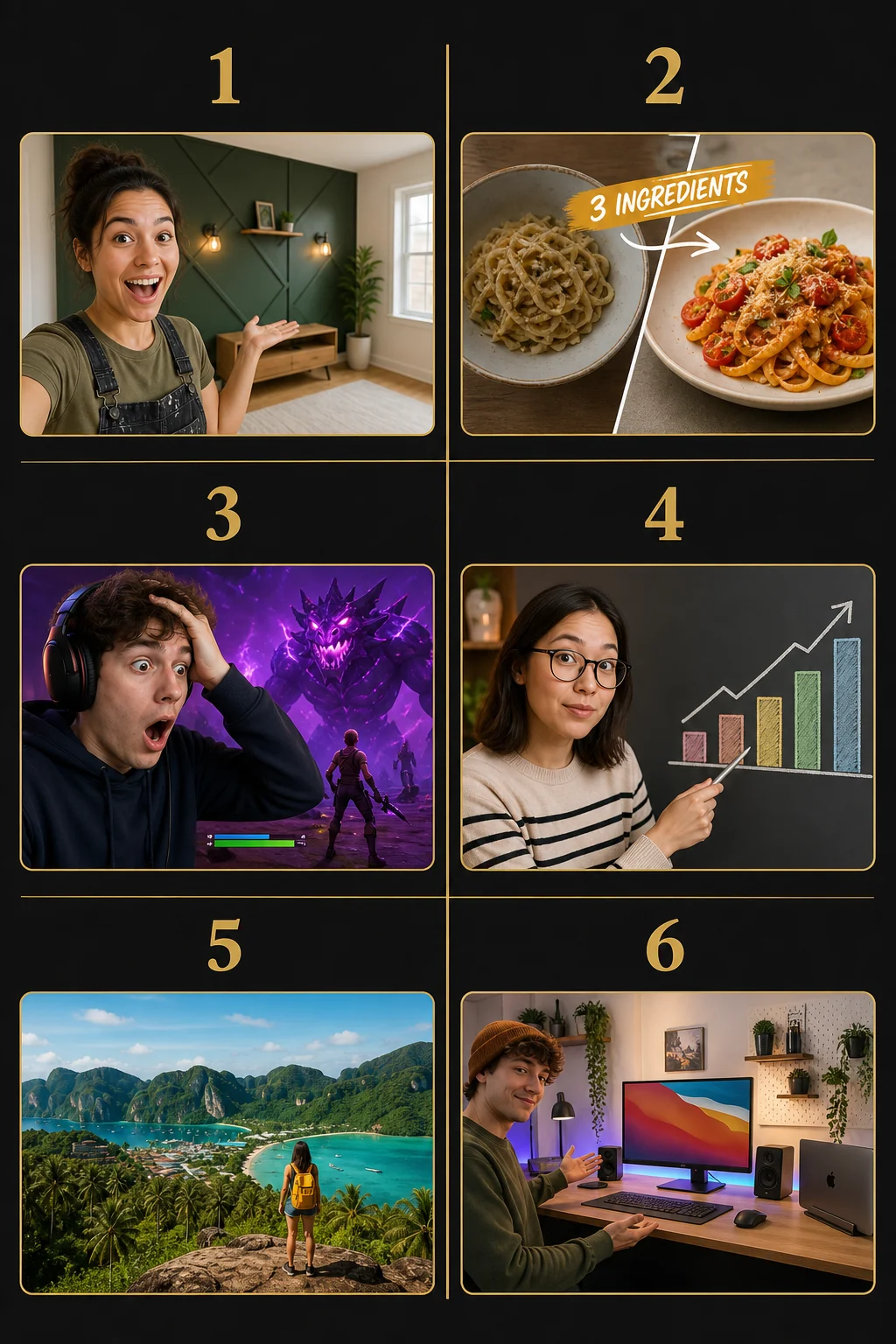
Open the full-size category audit
This original GrabThumbs visual uses fictional people and scenes so you can compare observable editing variables without copying creator assets. It is a practical audit case set, not an empirical sample of creator results.
Replace the global trend list with a category question
A gaming walkthrough, finance explainer, news recap, music performance, and long-form interview compete in different visual neighborhoods. A pattern that helps one category can make another look generic or misleading.
Start with a narrow question such as:
- What repeats on Home for this topic this week?
- How do Search thumbnails differ from Home thumbnails for the same query?
- Which channel cues make a series recognizable without making every upload identical?
- What changed between older uploads and the channel's most recent set?
YouTube's CTR and impressions guidance explains that CTR varies by surface because viewer intent differs. That is why the audit should record where each example appeared instead of mixing Search, Home, subscriptions, and external traffic into one style conclusion.
Record four observable variables
Avoid labels such as “modern,” “viral,” or “clean” until you can point to a visible choice.
| Variable | What to record | Example labels |
|---|---|---|
| Text amount | Number of text blocks and approximate word density | none, short, multi-line |
| Subject scale | How much of the frame the main subject occupies | small, medium, close crop |
| Background complexity | Number of competing regions or details | calm, layered, busy |
| Recognition cue | Repeated color, frame, face treatment, icon, or layout | absent, subtle, strong |
Add a note for first read: subject, text, result, or unclear. This turns “I like it” into something another editor can review.
Build a small working sample without pretending it is market research
A practical audit can use a small set because its job is to generate a test idea, not to prove a platform-wide law.
- Keep the category and surface consistent.
- Capture the date because recommendations change.
- Include a few familiar channels and a few unfamiliar results.
- Record outliers instead of deleting them.
- Do not report percentages as universal trends from this sample.
If you need a statistically representative study, define the population and sampling method separately. For everyday thumbnail work, clearly labeling the sample as a working audit is more honest and still useful.
Turn the audit into one testable hypothesis
The audit should end with one sentence:
If we change one visible variable, the intended viewer may understand one part of the promise faster on one discovery surface.
Examples:
- Remove the second text block so the result image reads first in Search.
- Keep the same words but enlarge the subject crop for Home.
- Preserve the subject and copy while simplifying only the background.
- Keep the layout but add one consistent series cue.
These are hypotheses, not guaranteed outcomes. Use Compare My Thumbnail to check the candidate beside references and Thumbnail Test Flow to record the variable before publishing.
Keep title, thumbnail, and video promise aligned
Visual novelty is not useful if it changes what viewers think the video contains. YouTube's creator guidance emphasizes that the title and thumbnail should accurately represent the content. The thumbnail policy also prohibits misleading thumbnails.
Before testing a pattern, ask:
- Does the image show evidence that appears in the video?
- Does the title add context rather than repeat the same words?
- Would the intended viewer still understand the promise after the trend treatment is removed?
- Is the series still recognizable beside earlier uploads?
Read performance with context
Do not call a design trend successful because one upload had a higher CTR. YouTube notes that CTR changes with audience size and traffic source, and a broader reach can lower CTR while producing more total views.
For each test, record:
- impressions and primary traffic source
- CTR in that context
- average view duration or another relevant watch-behavior signal
- the one design variable changed
- whether the title changed at the same time
Eligible creators can use YouTube's native title and thumbnail A/B testing. When the native test is unavailable, describe sequential changes as before-and-after monitoring, not as a controlled A/B test.
A monthly audit template
Category:
Discovery surface:
Sample date:
Working sample size:

Repeated text pattern:
Repeated subject-scale pattern:
Repeated background pattern:
Repeated recognition cue:
Important outlier:

My current baseline:
One variable to test:
Expected first-read improvement:
Metric and context to review:
What would make the result inconclusive:
Archive the note with the candidate image. Over time, your own channel history becomes more useful than a generic annual trend list.
Sources, review, and change history
The audit method is a GrabThumbs editorial workflow. Platform facts were reviewed against:
- YouTube Help: Decode CTR and impressions
- YouTube Help: Understand video reach and traffic sources
- YouTube Help: A/B test titles and thumbnails
- YouTube Help: Add custom thumbnails
- YouTube Help: Thumbnail policy
Change history: On 2026-07-18, GrabThumbs replaced unsupported platform-wide trend claims with a category-audit method, added an original six-case visual audit, and added current official sources and measurement cautions.
FAQ
Is there one best YouTube thumbnail style in 2026?
No single style is proven to fit every category and discovery surface. Audit the competitive context your viewers actually see and test against your own baseline.
How many thumbnails should I collect?
Use enough for a practical editing conversation, but label it as a working sample. Do not turn a small convenience sample into a platform-wide percentage claim.
Can I copy a competitor's layout if it repeats often?
Use the pattern as a question, not an asset to copy. Translate the underlying variable—such as text density or subject scale—into your own imagery, promise, and brand system.
What should I test first?
Choose the variable most likely to improve the first read while leaving the title and other visual variables stable.
How often should I rerun the audit?
Monthly or quarterly is a useful workflow cadence, but it is not a platform requirement. Revisit it when your category, audience, or publishing format changes.
Related guides and tools
Published
2026-03-01
Estimated reading time
6 min
Word count
1,216
Editorial notes
How this guide was prepared
This guide is edited for practical use, clear claims, copyright boundaries, and a direct next step into the relevant tool or policy page.
Written by
GrabThumbs Editorial Team
Reviewed by
GrabThumbs Editorial QA
Review focus
Practical usefulness, clarity of claims, safer reuse boundaries, and stronger links to the next relevant tool or policy page.
Update practice
2026-07-18
The guide is revisited when workflow advice, platform behavior, or policy context changes in a meaningful way.
Corrections or policy questions
Use the contact page if you spot an accuracy, copyright, or policy issue that should be reviewed.
Open contact pageTry the tool
Test this with a real YouTube thumbnail
Paste a public YouTube URL to open available thumbnail sizes, compare readability, copy the direct image URL, or download the image without login.
Open YouTube Thumbnail DownloaderTool loading
The inline thumbnail extractor will load as you approach it
The article loads first, then the public YouTube thumbnail test tool hydrates near this section.
Guide support
How this guide is maintained
This article is part of the GrabThumbs editorial library and links to the site standards, product context, and contact path so readers can verify how the site is run.
Thumbnail Extractor
Open live public YouTube thumbnails right after reading so you can compare the guidance against real examples.
Standards
Review the editorial, corrections, and advertising standards that apply across the site.
About GrabThumbs
See what the site publishes, how the utility works, and how the editorial library fits into the product.
Contact
Use the contact page for policy, copyright, accuracy, or business questions.
Reading path
Continue with the same goal
These guides belong to the same goal-based path as the article you are reading, so you can keep moving through the topic without jumping around the archive.
Color, audience fit, and design trends belong here when you want stronger visual packaging decisions.
YouTube Thumbnail Color Combinations: Contrast Examples for 2026
Use practical YouTube thumbnail color examples to keep subjects readable, separate foreground from background, and avoid palettes that disappear in the feed.
Read this guide →
How thumbnail design changes when your audience changes
Different age groups often respond to different levels of visual density, but your own audience data should lead the way.
Read this guide →
Related guides
Keep reading within the same topic cluster with these related articles.
YouTube CTR Diagnosis: When to Change Your Thumbnail vs Keep It
Use traffic-source context, 48-hour checks, and thumbnail-title promise matching before changing a thumbnail because CTR dropped.
Read this guide →
Can You Reuse YouTube Thumbnails? Copyright Boundaries for Creators
Use a practical copyright-risk checklist for YouTube thumbnail research, reference boards, fair-use questions, and original thumbnail rebuilds.
Read this guide →
Thumbnail planning in the AI era: using Google AI without losing the human eye
Generative AI can speed up thumbnail planning, but it still works best as a thinking partner, not a replacement.
Read this guide →
Time to put theory into practice!
Open competitor thumbnails right away for comparison and analysis.
Go to Thumbnail Extractor